Monster Hunter Wilds offers many opportunities to play with other players. Whether in open quests, connection groups, or open lobbies, there are many ways to meet new players and go hunting with them. But what if you want to play with returning players or a fixed group? That's where hunting groups come in.
Adding Squads
We work with a dynamic hunting group in the stream, which means that we kick members out after each stream so that those who find each other in a stream can play together, and there are often over 50 members. You definitely need a hunting group so that you can join the hunting group lobby.
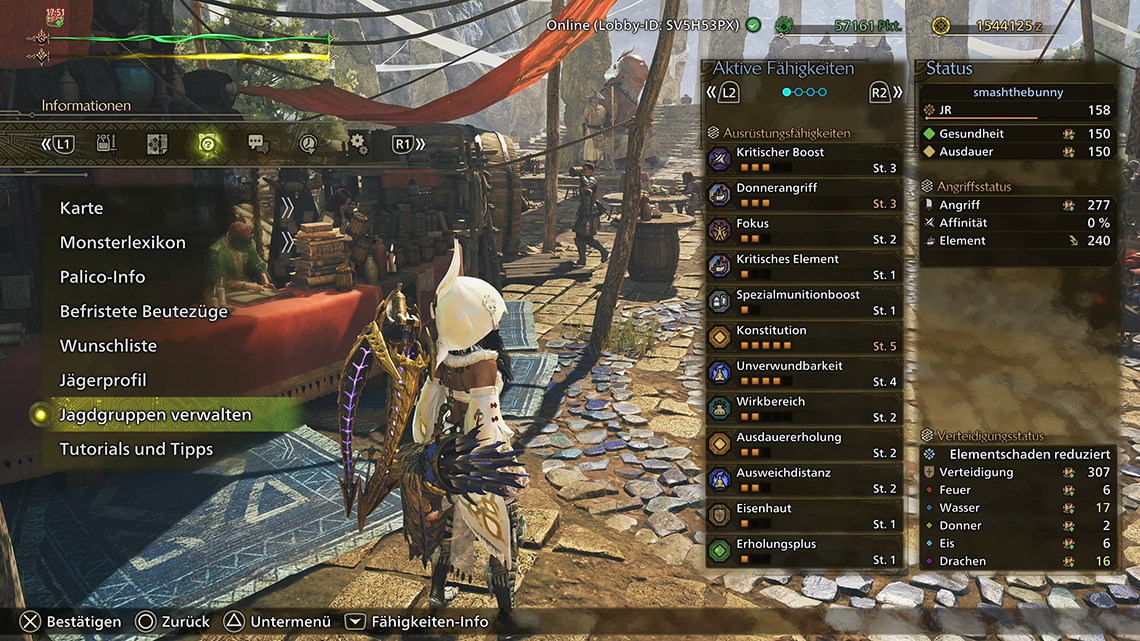
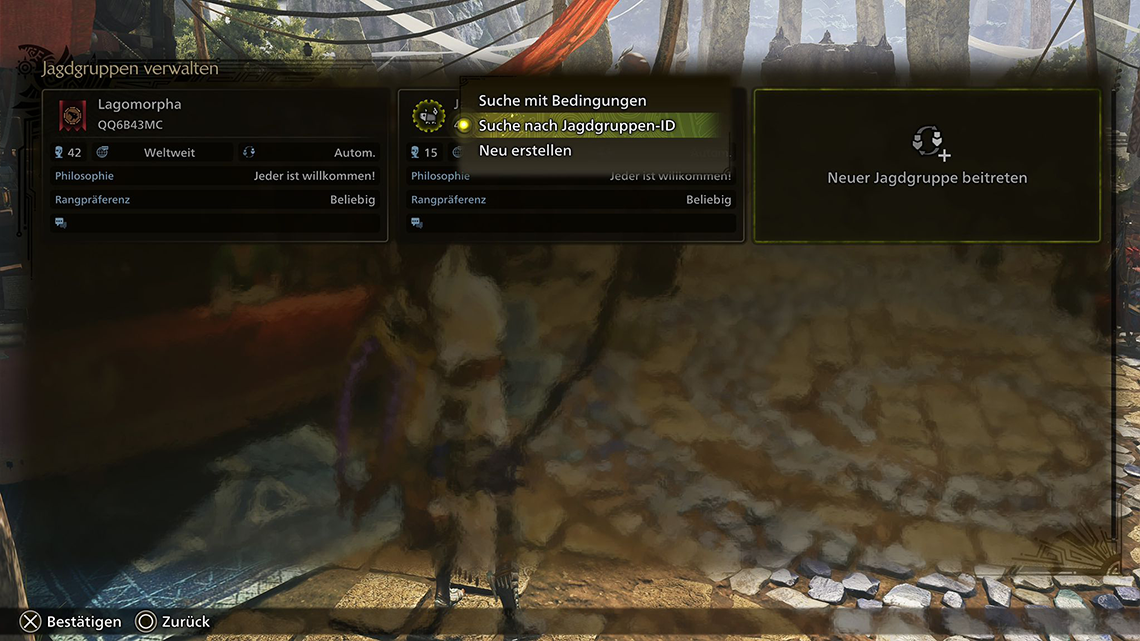
In your options menu, go to the third tab. Options and navigate down to " Manage Squads " - Here you go to Add New Squad. There you select " Search for Squad ID " - Our current hunting group ID is " 3E4BY5E7 ".
Join the lobby
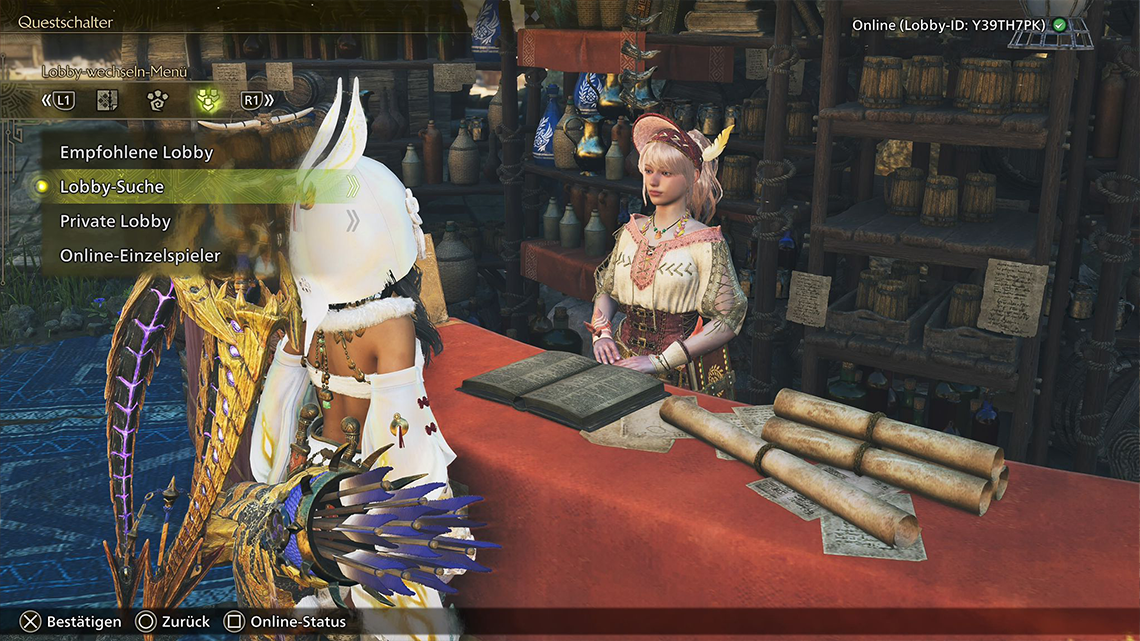
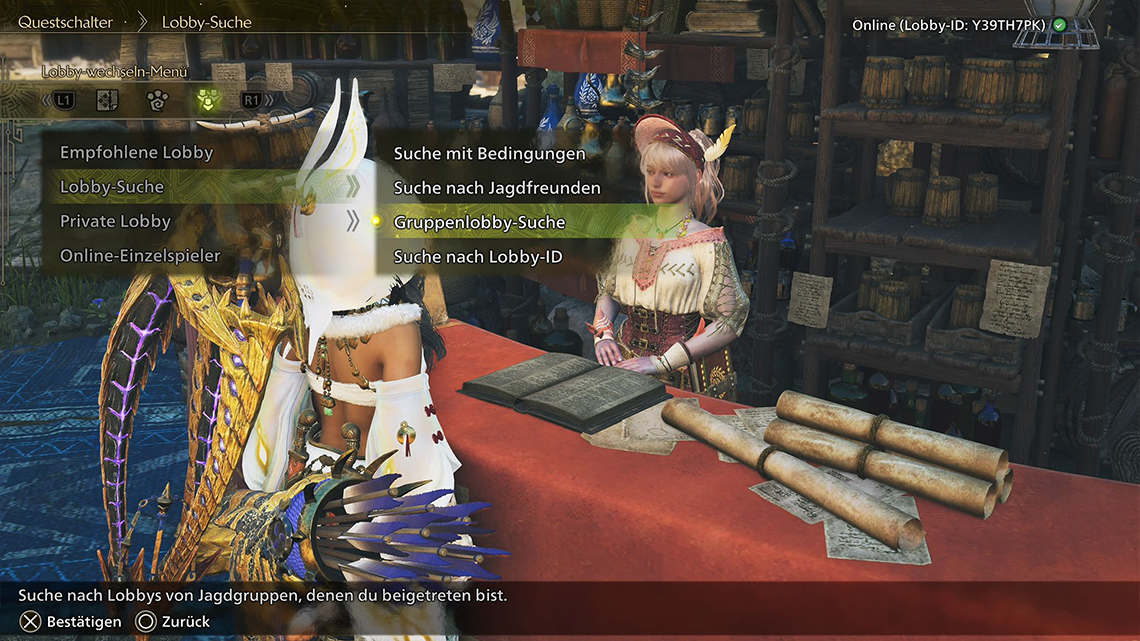
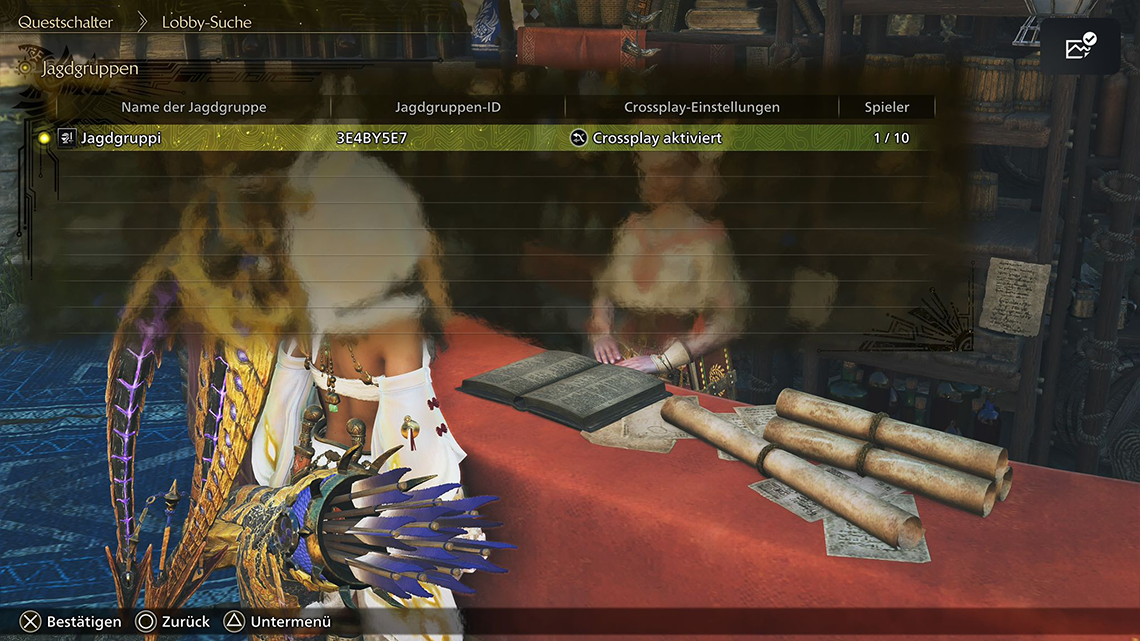
Once you have joined the hunting party, you can join via Alma or the quest counter in the lobby. At the quest counter, switch to the last tab. " Change lobby Menu " - there you choose Lobby-Search and afterwards" Lobby Search ". After that, the hunting group lobby should be selectable and you can join the quests.
You must be logged in to comment.
Comments
No comments yet. Be the first to comment!